Announcing the Public Preview of Custom URLs
One branded URL and login across every workspace in your Databricks account
by Gordon Wang, Steve Costa and Ankit Mishra
- Custom URL gives your Databricks account a single, branded domain like mycompany.databricks.com that replaces every per-workspace URL across the account.
- Previously, each workspace had its own URL and login session. This worked for accounts with a few workspaces but became unmanageable as customers scaled to dozens.
- Users now log in once and seamlessly move across every workspace in the account that is accessible to them. This unlocks account-wide Genie for business users, Unity Catalog lineage that spans all workspaces, and simpler Disaster Recovery.
One unified Databricks experience
Your Databricks account can now live on a single branded domain (e.g. mycompany.databricks.com) that enables users who log in once to stay signed in across every workspace they use.
Previously, every Databricks workspace had its own obscure URL (e.g. dbc-a3abed8a-27dfe.cloud.databricks.com). This was impossible to memorize, awkward to share, and hard to brand without additional effort. As customers scaled to dozens it turned into a daily user experience tax because it forces a login every time users switched workspaces, web bookmarks started to stack up, and account-wide features like Genie had no obvious home.
Custom URL makes the account the natural entry point for Databricks. One branded domain now serves every workspace in the account and users who log in once stay signed in as they move across them. Under the hood, as users switch workspaces, their access is automatically verified and new sessions are created seamlessly. The same authorization boundaries are enforced without requiring repeated logins. Existing per-workspace URLs keep working, so bookmarks and programmatic tools are unaffected.
Key benefits of Custom URLs
1. Easier navigation across workspaces
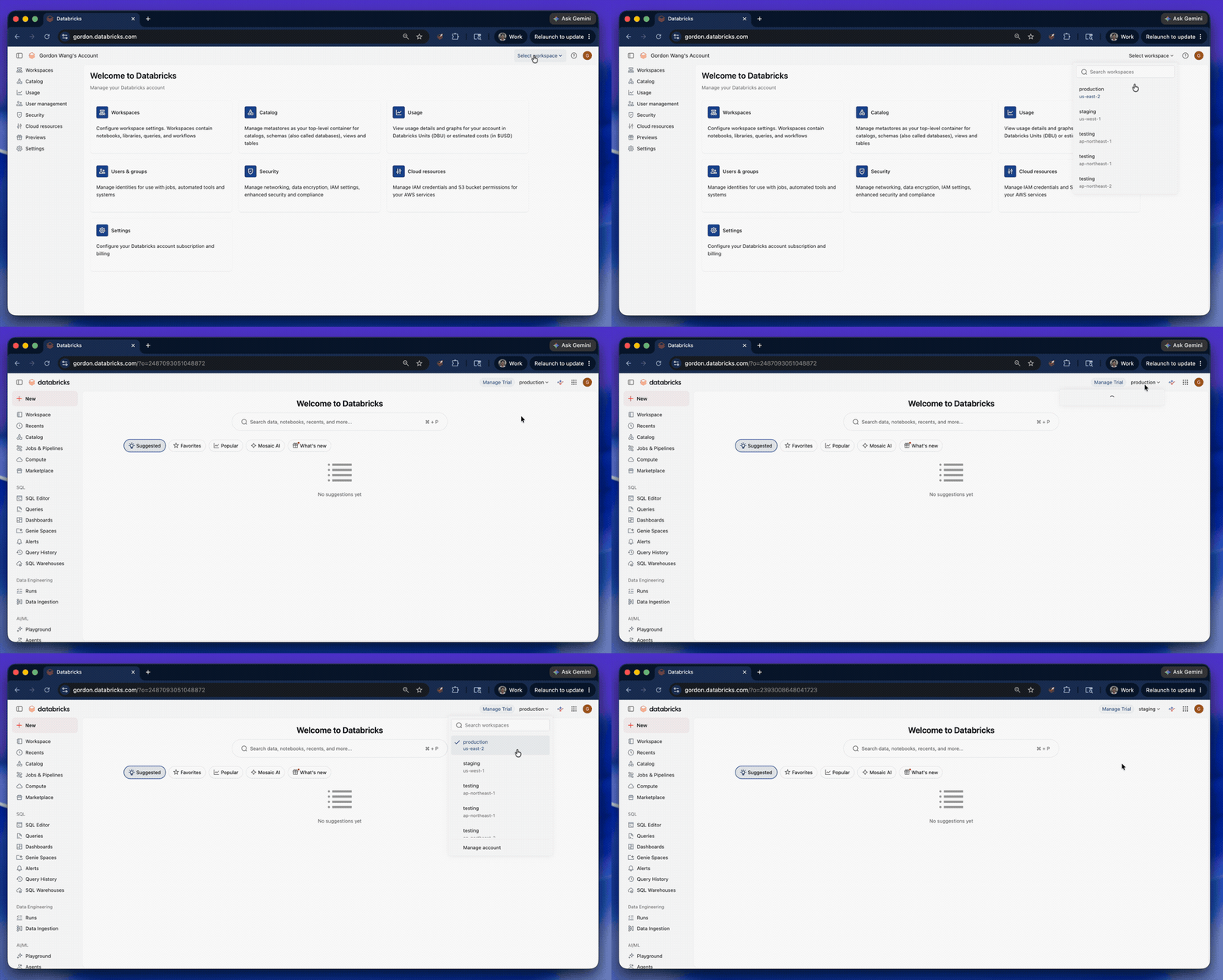
Daily users moving across workspaces are no longer interrupted. A typical workflow in Databricks might span multiple workspaces (e.g., opening a notebook in dev, running a job in staging, and querying a table in prod). With a Custom URL, your login session follows you across your account, letting you seamlessly move between accessible workspaces without logging in every time.
Custom URL is one of those deceptively simple changes that makes a huge difference. Giving teams one branded entry point and letting people move across workspaces without repeated sign-ins makes Databricks feel smoother, faster, and a lot more intuitive for everyone using it.—Francis Hart, VP Data, AI & Online Technology, SEGA Europe
2. Seamless Genie experience for business users
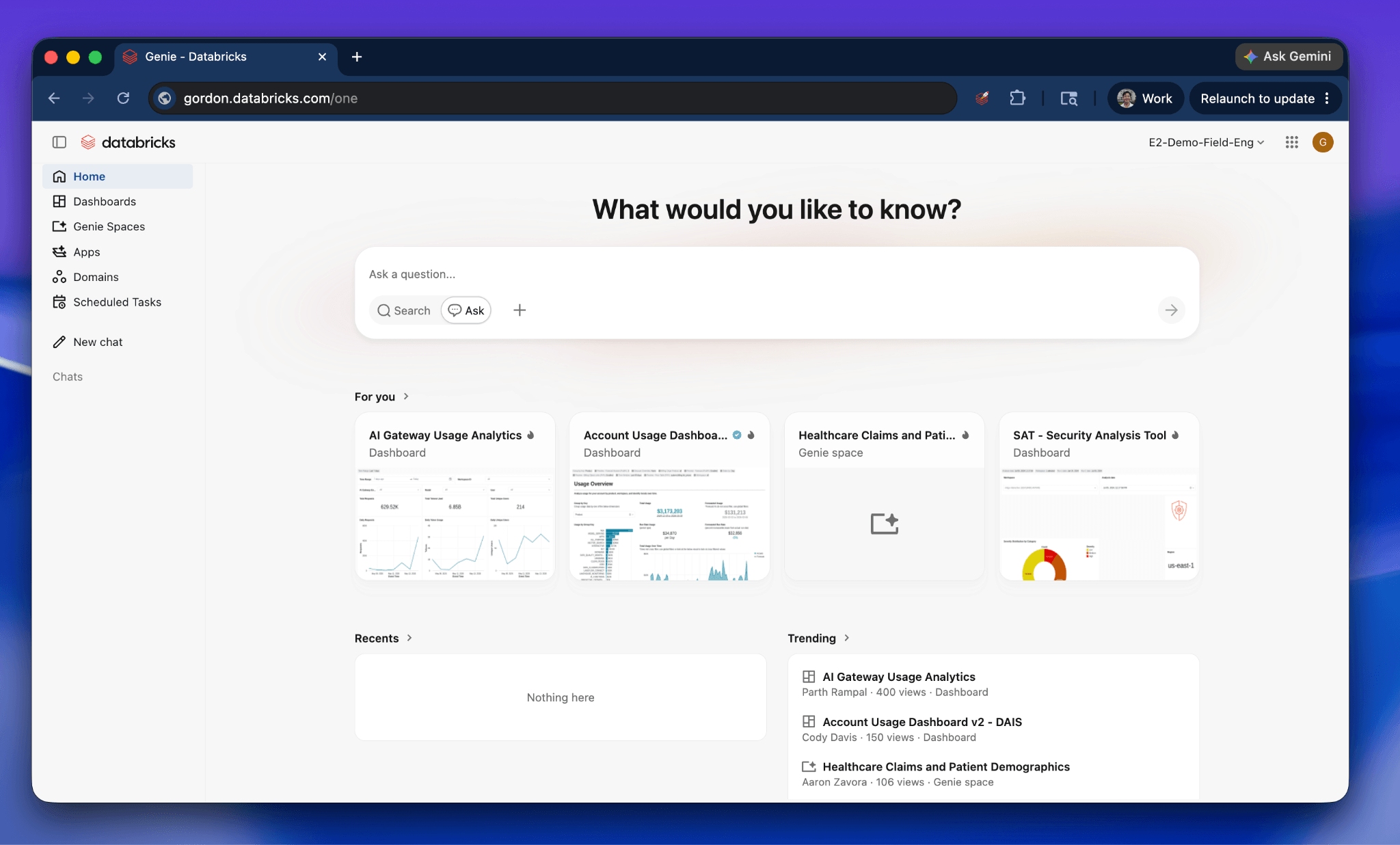
Custom URL (mycompany.databricks.com/one) enables a unified Genie chat experience, making it easy for business users to access insights across the data estate to discover AI/BI dashboards, Apps, and Genie spaces. The login session covers the entire account, so users are only prompted to log in once.
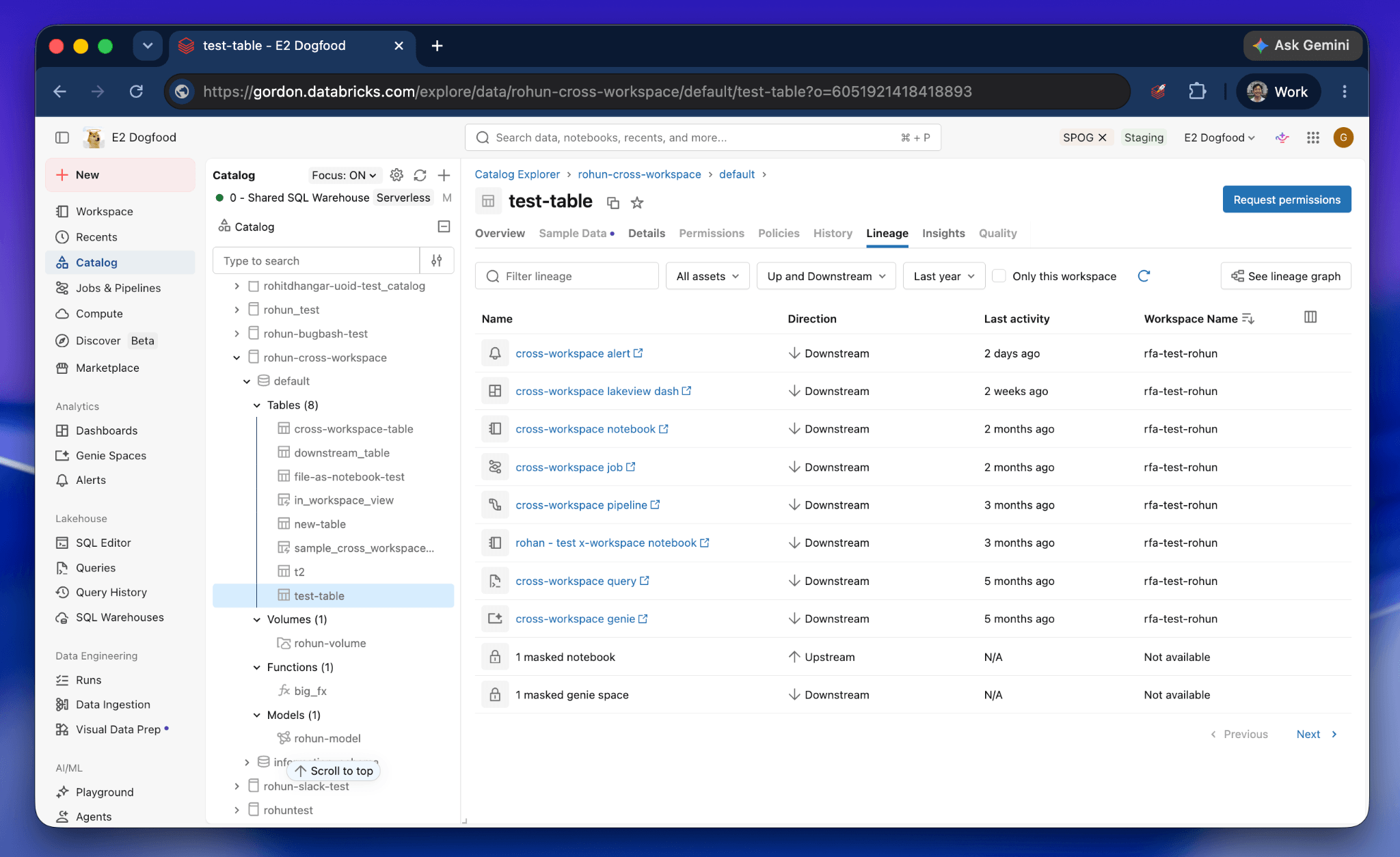
3. Cross-Workspace Lineage and Asset Governance in Unity Catalog
With a Custom URL, Unity Catalog lineage reflects the full shape of your account, not just one workspace at a time. Users see a single lineage view that includes upstream and downstream assets across every workspace in your account. For example, a user can see which dashboards in other workspaces depend on a given table, or which jobs write to it. Because the lineage view uses the shared account session, this information is pulled seamlessly from every workspace without extra login prompts.
4. Simpler Disaster Recovery
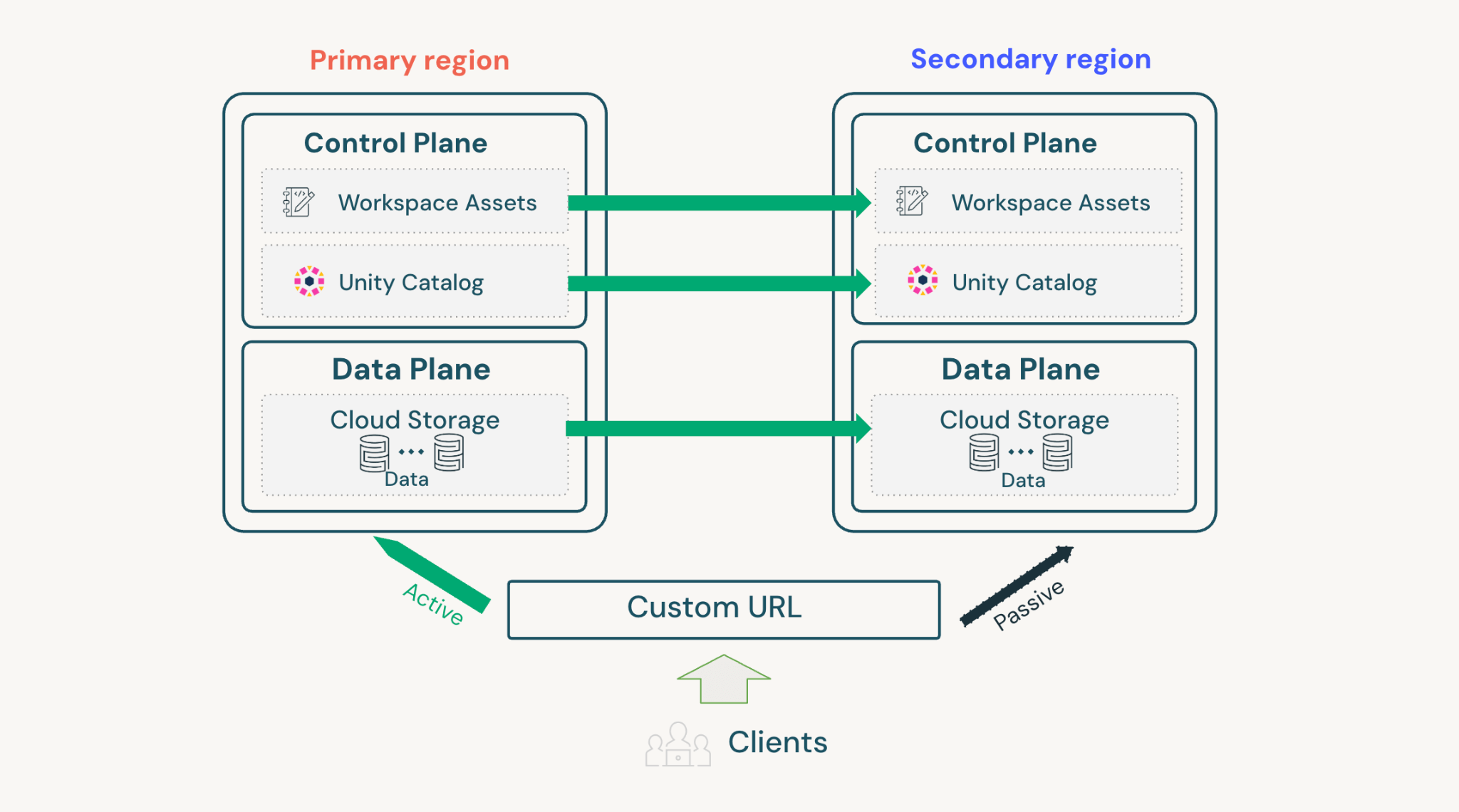
Custom URLs provide a single account-level entry point that can route users to the right workspace, regardless of where that workspace currently lives. This makes Disaster Recovery simpler because when a failover happens, the URL itself does not change. Downstream tools like Power BI, ODBC clients, and CI/CD pipelines keep using their existing connection strings, and users do not need to log in again because their session follows them across regions.
Public preview considerations
A few specifics to know before enabling:
- Unified Login required. Custom URL requires Unified Login. This is the default for accounts created after June 21, 2023, and for accounts that configured SSO before December 12, 2024.
- Frontend Private Link. Workspaces with FE Private Link enabled fall back to per-workspace URLs. Account-level FE Private Link for Custom URLs is coming soon to Beta.
- Azure Databricks:Custom URL for Azure Databricks customers follow the mycompany.azuredatabricks.net convention.
Getting Started with Custom URLs
Account admins can enable Custom URLs from the account console under Account Settings:
- Claim your URL. If your account already has a Custom URL, you'll just need to toggle it on. We will soon expanding self-serve options later on.
- Turn on Auto-Redirect. With Auto-Redirect on, users who go to a legacy per-workspace URL (e.g., dbc-a3abed8a-27dfe.cloud.databricks.com) will be automatically redirected to the equivalent path on your Custom URL. Your bookmarks still work, but all new navigation goes through your branded domain. Once enabled, you and your users can navigate to mycompany.databricks.com/one to access the account-wide home. Note that programmatic traffic to the legacy URL will not be affected.
Once enabled, navigate to mycompany.databricks.com/one to access Genie, your account-wide home for AI/BI dashboards, Genie spaces, and apps.
Get the latest posts in your inbox
Subscribe to our blog and get the latest posts delivered to your inbox.