Apache Spark™ Tutorial: Machine Learning
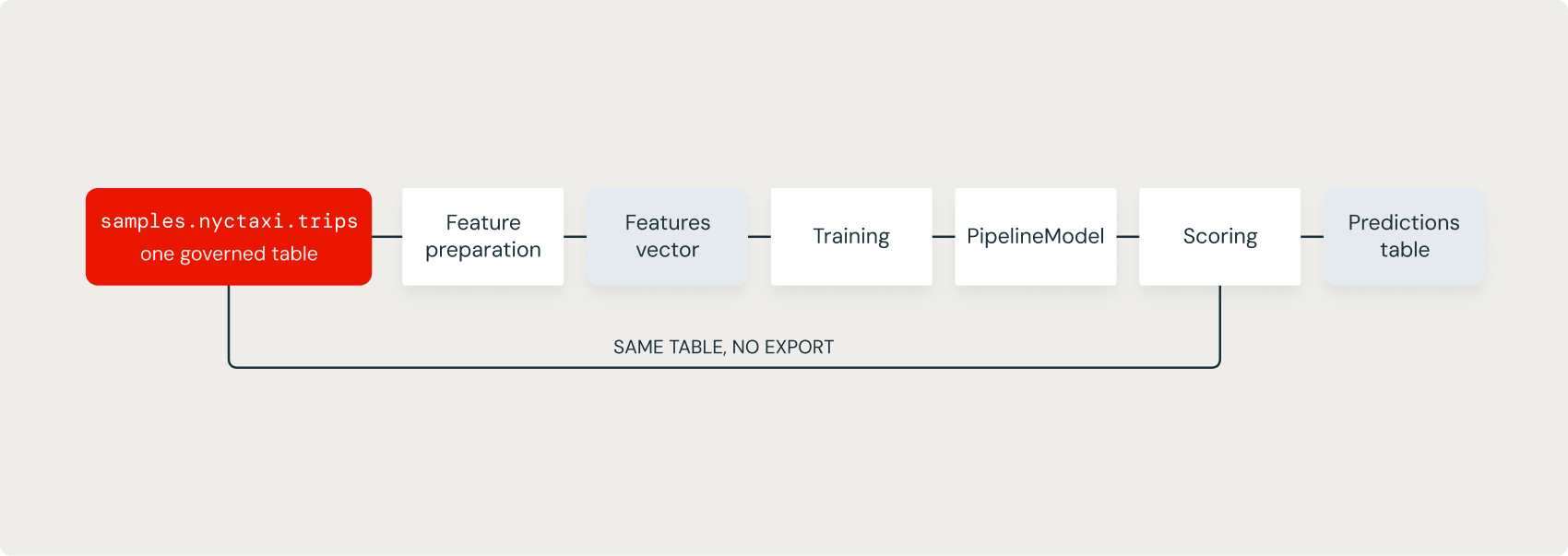
MLlib lets you train a model on the same tables and the same engine you use for everything else. Feature preparation, training, and scoring all run as Spark jobs, so the data never leaves the lakehouse for a separate training system. In practice, most of the effort goes into the features, and those are the joins and aggregations you already know how to write.
Everything so far produced data. This module uses that data to train a model with MLlib, Spark's machine learning library: you will prepare features, fit a model, evaluate it on held-out data, and track the run, all on the same engine.
Learning objectives
By the end of this module, you can:
- Explain why machine learning runs on the same engine as the rest of your data work.
- Tell a transformer from an estimator, and chain them in a Pipeline.
- Split data, fit a model, and generate predictions.
- Evaluate a model on a held-out test set.
Track a run with MLflow so results stay comparable.
Using a coding agent? Copy this prompt to get started quickly:
Why use Spark for Machine Learning?
Feature preparation is often the expensive part of a machine learning workflow. Joining events, aggregating over a window, and assembling a feature vector are all Spark jobs, which is exactly the work the earlier modules covered. Training the model in the same engine that performs all that work means the features and the training data come from one pipeline, with no handoff between systems and no second copy of the data to keep in sync.
Transformers and estimators
MLlib is built from two kinds of objects: transformers and estimators. A transformer takes a DataFrame and returns a DataFrame. An example is VectorAssembler, which combines feature columns into a single vector column. An estimator takes a DataFrame and returns a transformer. For example, LinearRegression is an estimator, and calling fit on it returns a model you can apply with transform.
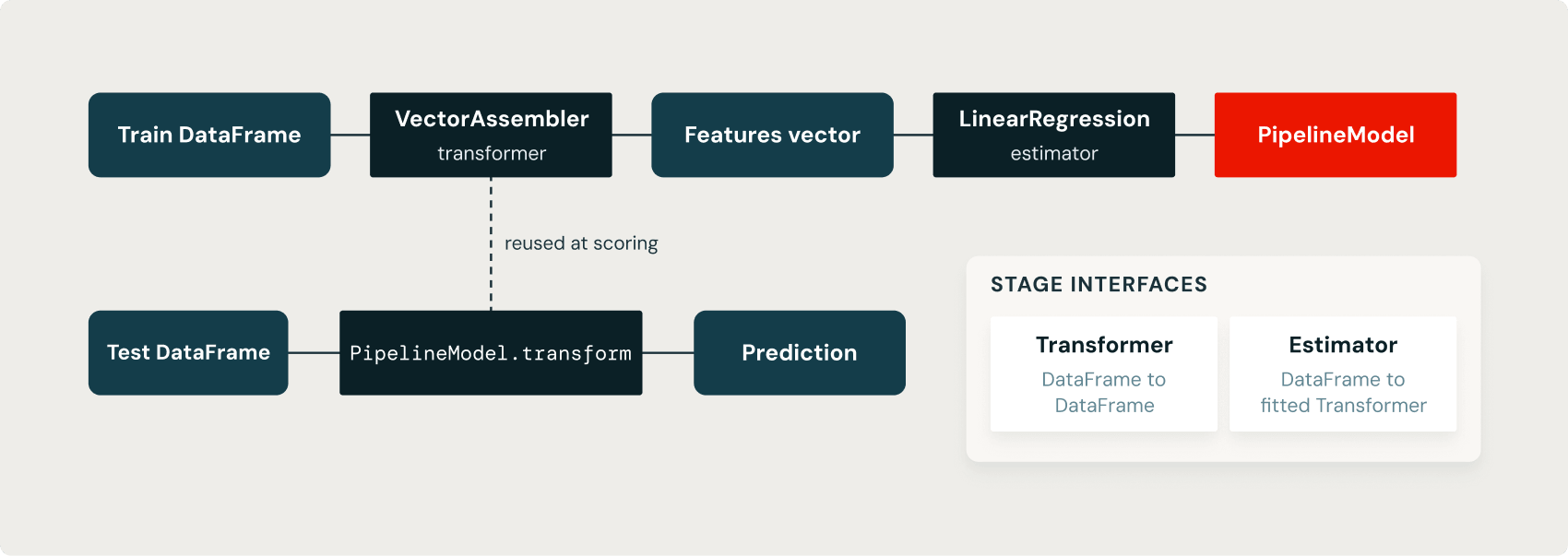
A Pipeline chains these stages so the same sequence runs at training time and at prediction time. That removes a whole class of bugs where the steps that prepared the training data drift apart from the steps that prepare data for scoring.
Prepare features with a Pipeline
This pipeline predicts fare_amount from trip_distance. VectorAssembler turns the feature columns into the features vector that MLlib expects, and LinearRegression learns the relationship between that vector and the label.
Train the model
Split the data, fit the pipeline on the training set, and generate predictions on the test set:
Result
trip_distance | fare_amount | prediction |
|---|---|---|
3.2 | 13.0 | 13.29 |
0.5 | 4.5 | 5.94 |
5.6 | 21.0 | 19.83 |
fit runs the estimators and returns a fitted model; transform applies that model to new data and adds a prediction column. The split is what lets you tell a model that learned the pattern from one that memorized the training rows, so always hold data back.
Evaluate on the test set
Measure the model on the data it was not trained on, with a RegressionEvaluator:
Result
The model learned fare_amount is about 4.58 + 2.72 * trip_distance, and it explains roughly 90 percent of the variance in fare on the held-out data. Evaluate on the test set rather than the training set: a model always looks better on the rows it was fit on, so the test number is the honest one. Look at the predictions too, not just the metric, because a single number can hide a model that is accurate on average but wrong in the cases you care about.
Track the run with MLflow
MLflow is built into Databricks, so a run is logged without extra setup. Track the parameters, the metric, and the model so runs stay comparable.
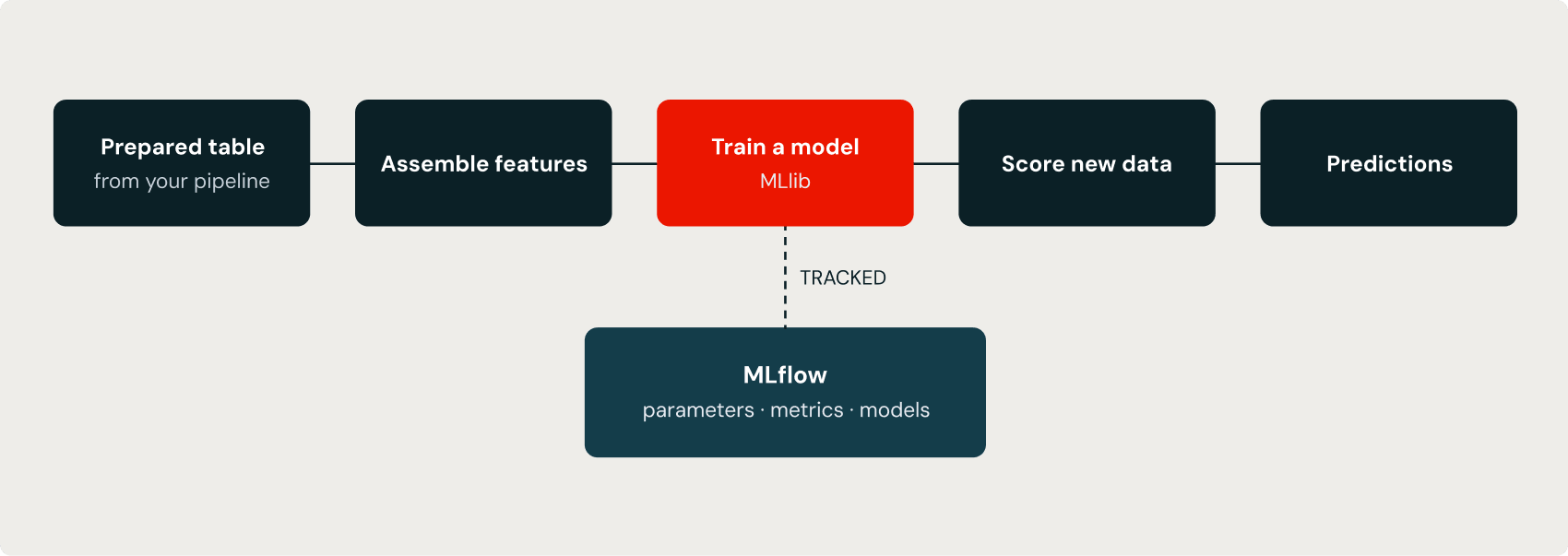
On serverless or shared compute, a Spark ML model is staged through a Unity Catalog volume, so pass dfs_tmpdir pointing at a volume path you can write to. Once the parameters, the metric, and the model are recorded together, "Which run was better and why?" becomes a query instead of a memory exercise, and the logged model gives you a path from a good run to a deployed endpoint.
Try it yourself
- Add pickup_zip and dropoff_zip to inputCols and see whether root mean squared error (RMSE) improves.
- Change the split seed and rerun. How much do RMSE and R2 move?
- Log a second run with a different feature set and compare the two in the MLflow UI.
Recap
- Feature preparation, training, and scoring is Spark work, so machine learning runs on the same engine as the rest of your data.
- A transformer returns a DataFrame; an estimator returns a transformer when you fit it; a Pipeline chains them.
- Split the data, fit on train, transform on test, and evaluate on the held-out set.
- MLflow logs parameters, metrics, and the model; on serverless, allows you to write to a volume.
What's next
- Spark Connect is the final module. It explains the client-server split that every example in this tutorial has already used, and how to connect to Spark from your own applications.